
Northstar AgencyLA-1048 · Parent consultation10:30 · Remote
For Educational Psychologists and approved Practitioners
Keep assessment work, professional advice and Agency connections organised.
ASEND gives Educational Psychologists a protected view of assigned cases, milestones, reports, Agency feedback and future availability across the Agencies they are approved to support.
Practitioner workspaceMy assessment week
4 active casesMon2Tue3Wed1Thu2Fri1
Horizon EPLA-1052 · Professional adviceDraft due Friday
Approved connectionAgency relationship requestAwaiting Agency approval
Controlled registration
Request a demo Practitioners cannot self-register.
An Educational Psychologist can request a demonstration. ASEND then completes the controlled registration and activation process. Once activated, the EP may invite or request a connection with an Agency they work with; the Agency must approve that relationship before related records become available.
Keep the professional work in focus.
ASEND is designed to organise the workflow around professional practice, not to replace professional judgement.
Assigned assessments
See active cases, deadlines, milestones and the next action required.
Professional advice
Prepare and manage advice or reports with version history and Agency feedback.
Availability
Maintain future working availability to support appropriate Agency allocation.
Agency connections
Work across separately approved Agency relationships without blending their records.
Controlled submission
Submit work into the relevant Agency review route and respond to requested changes.
Protected access
See only the cases and information available through approved relationships.
See the Educational Psychologist journey.
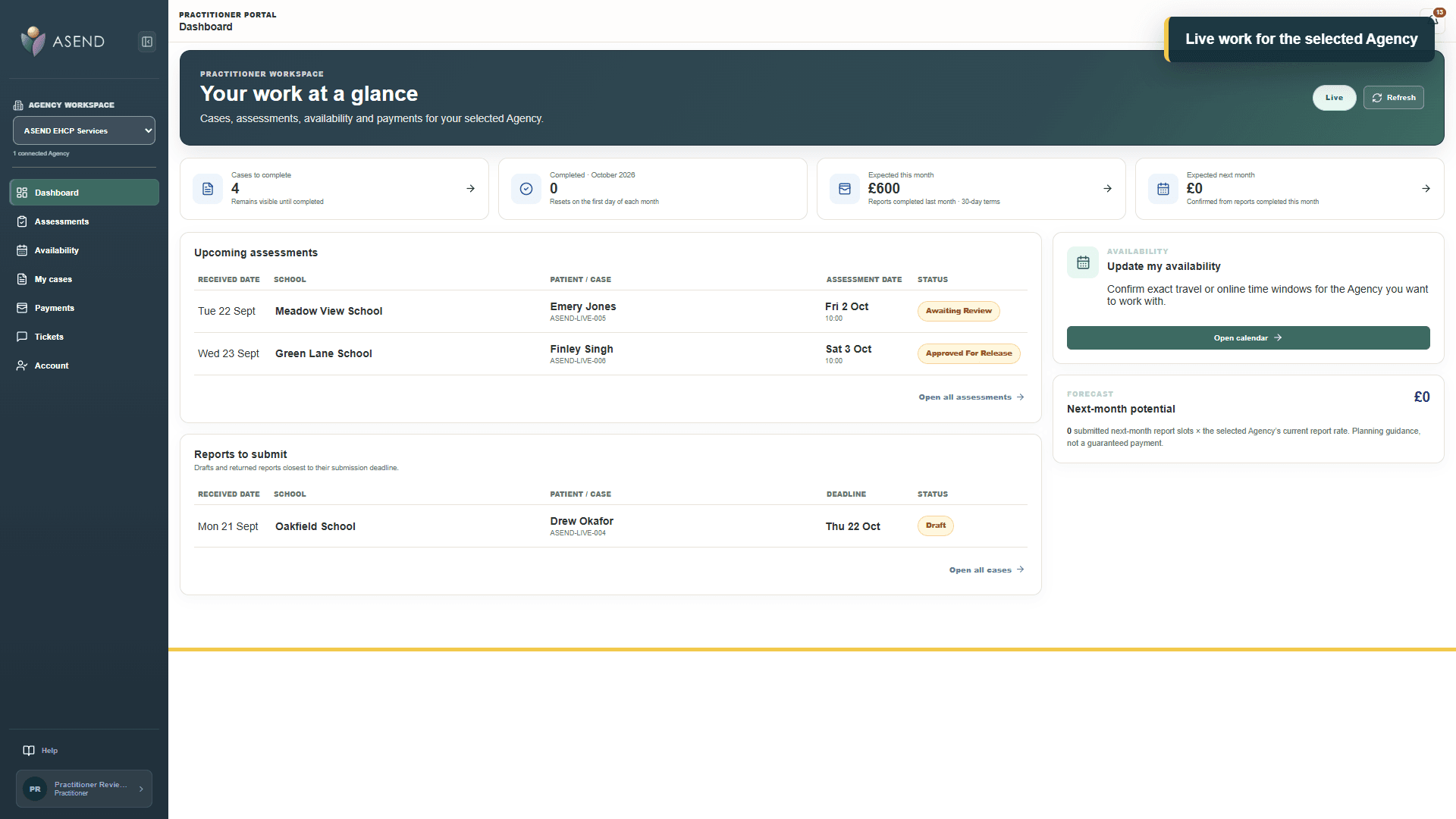
Watch how Practitioners manage assessments, availability, professional advice and approved Agency connections.
01ASEND
Educational Psychologist workspace
Open on YouTube Practitioner walkthrough
YouTube will load only after you choose to play.
Practitioner walkthrough
Explore the Educational Psychologist workspace for assessments, availability and professional advice.
Next step
Begin with a Practitioner demonstration.
Tell us about your role and the Agencies you support. ASEND will explain the controlled registration route.